
Reviewers.com is now free to install, and every store gets one free campaign. After your free campaign, you can keep running campaigns with the monthly plan. This article explains what's changing, what happens if you already use Reviewers.com, and how to move to the monthly plan or cancel it.
What's changing
- Installing Reviewers.com is free, and there's nothing to approve when you install
- Every store gets one free campaign, instead of a 30-day free trial. Your free campaign works like any other campaign
- After your free campaign, the monthly plan lets you keep running campaigns. It costs $150 every 30 days ($100 for Loox merchants) and includes 1 campaign in each 30 days. An included campaign you don't use does not carry over
- Extra campaigns in the same 30 days cost $150 each. You'll see the price at the last step of campaign creation, before you submit
- You can cancel the monthly plan at any time from Settings > Subscription
Tip: Learn more about pricing, credits, and charges.
If you already use Reviewers.com
| Your situation | What happens |
| You're on the monthly plan | Nothing changes. You keep your price, your included campaign every 30 days, and any discount, and you don't need to approve anything again |
| You're in your 30-day free trial | Your trial continues until its original end date. After that, your plan continues at $150 every 30 days ($100 for Loox merchants). Your trial campaign counts as your free campaign, so if you haven't used it, it stays available after your trial ends |
| You installed Reviewers.com but never approved the subscription | The next time you open the app, you can finish setting up and create your free campaign. If you already used a free campaign, in Loox or during an earlier trial, you'll need to approve the monthly plan subscription for your next campaign |
If you use Loox
If your store has an active Loox plan when you activate the monthly plan, you pay $100 every 30 days instead of $150, and $100 for each extra campaign.
Each store gets one free campaign in total, while using either Loox or Reviewers.com:
- If you haven't used your free campaign in Loox, you can create it from your Loox admin, or install Reviewers.com and create it there. Once Reviewers.com is installed, clicking Create a campaign in your Loox admin will take you to Reviewers.com
- If you already used your free campaign in Loox, including one that's waiting for approval or live, you'll be asked to activate the monthly plan when you install Reviewers.com. After that, you finish setting up and create your first campaign, which comes out of your plan
Moving from your free campaign to the monthly plan
Once you submit your free campaign, a banner appears on your Home and Campaigns pages, and the campaign creation buttons are grayed out. To create your next campaign:
- Click Activate plan on the banner, or go to Settings > Subscription and click Upgrade.
- On the page that opens, click Activate plan.
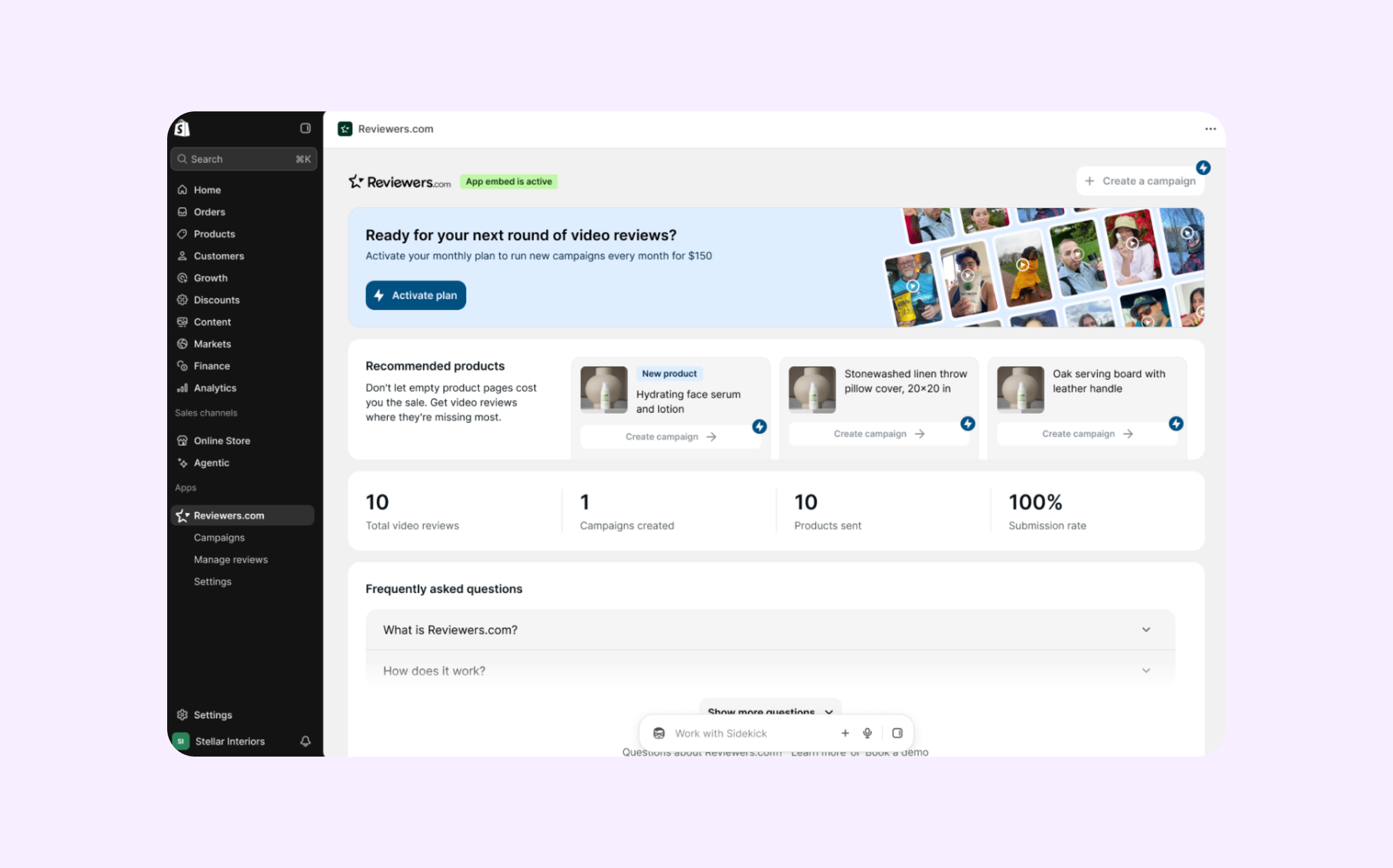
- Approve the subscription on the Shopify page that opens.
Once you approve, the banner will disappear and you can create campaigns again. If you decline on Shopify's page, nothing changes, and you can activate the plan at any time.
Note: You can use extra credits with or without the monthly plan. While you have extra credits, you can create campaigns and the banner doesn't appear.
Canceling the monthly plan
- Go to Settings > Subscription and click Unsubscribe.
- Confirm that you want to unsubscribe.
Your plan ends right away, and you won't be charged again. An unused included campaign ends with it. Your extra credits stay in your account, and any campaign you already submitted keeps running.
You can activate the monthly plan again at any time. You're charged right away, and a new 30-day period starts. If you come back within the 30 days you already paid for, an unused included campaign comes back to you as an extra credit.
Uninstalling Reviewers.com will also stop your plan subscription. Learn more about uninstalling and reinstalling Reviewers.com.
FAQs
Q: What happens if my free campaign is rejected?
A: You get your free campaign back and can create it again. You also get it back if you cancel it before it goes live, if too few Reviewers claim its items, or if you uninstall Reviewers.com while it's waiting for our approval.
Q: What happens to my free campaign if I uninstall and reinstall Reviewers.com?
A: It stays the way it was. If you haven't used it, it's still there when you come back. If you already used it, reinstalling doesn't add a new one.
Q: Can I activate the monthly plan before I use my free campaign?
A: Yes. Go to Settings > Subscription and click Upgrade. Your next campaign is still your free one, and the campaigns after it come out of your plan.
Q: My trial campaign came back to me as an extra credit. How does that work now?
A: You keep the extra credit, and it counts as your free campaign. You can use it at any time, with or without the monthly plan.
Need help? If you have more questions, contact our support team at brands@reviewers.com - we're happy to help!