
Every Reviewer has their own style. Some film polished, ad-ready videos, others keep it casual and personal - and the right fit depends on your brand. The "Priority Reviewers" feature lets you watch real video reviews from past campaigns and select the Reviewers whose style best fits your product, right inside the campaign creation flow.
This article covers how to select priority Reviewers, how your selection affects who joins your campaign, and what to expect after your campaign goes live.
Why choose priority Reviewers?
- Know what you're getting - You watch actual reviews each Reviewer filmed for past campaigns, so you can get a sense of who would be a good fit for your brand's style and needs
- Give your favorites first access - The Reviewers you select are offered your campaign before it's shared with the rest of the community
- Keep your campaign open to everyone - Selecting priority Reviewers doesn't close your campaign off. Any spots they don't claim are offered to all eligible Reviewers in the community who fit your audience
How to select priority Reviewers
Priority Reviewers are selected per campaign, during the target audience step of campaign creation:
- Create a campaign and set your target audience's age range and gender.
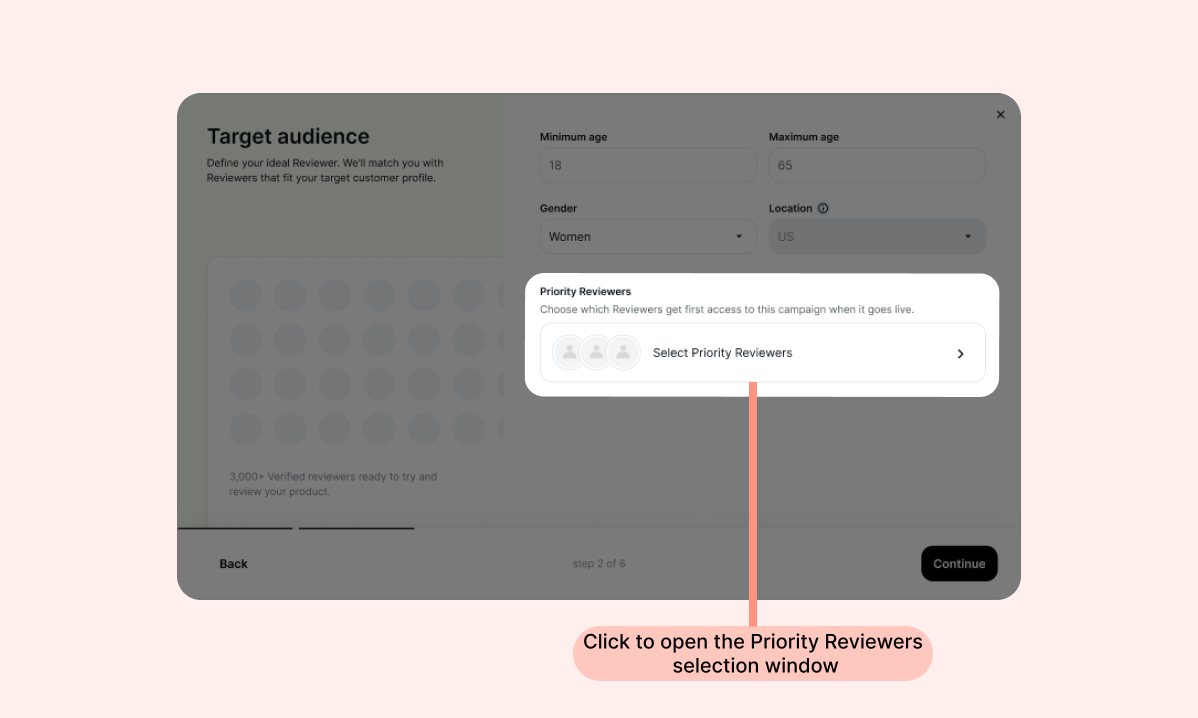
- Click Select Priority Reviewers to open the selection window:
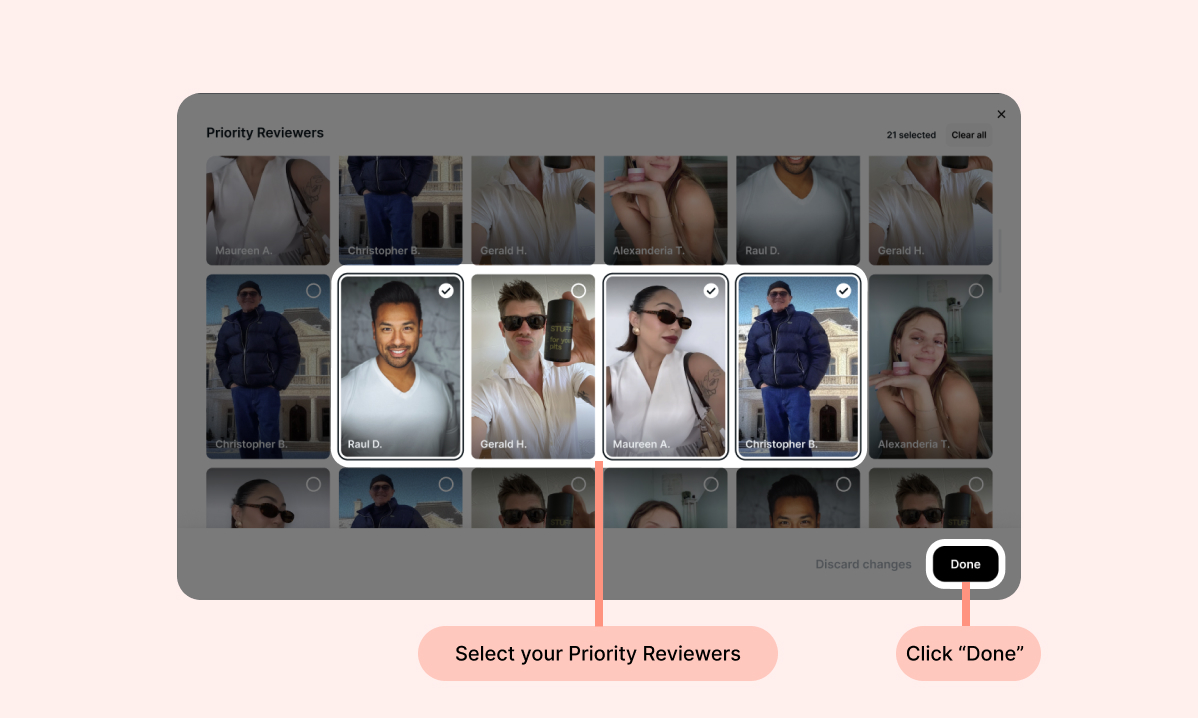
- Browse the video grid that opens. Each Reviewer appears once, with a short clip from one of their past video reviews. Only Reviewers who match the age range and gender you set appear in the grid.
- Click the Reviewers you want to select. You can select as many as you like, unselect anyone, and see your selection count as you go. Once you've completed your selections, click Done.
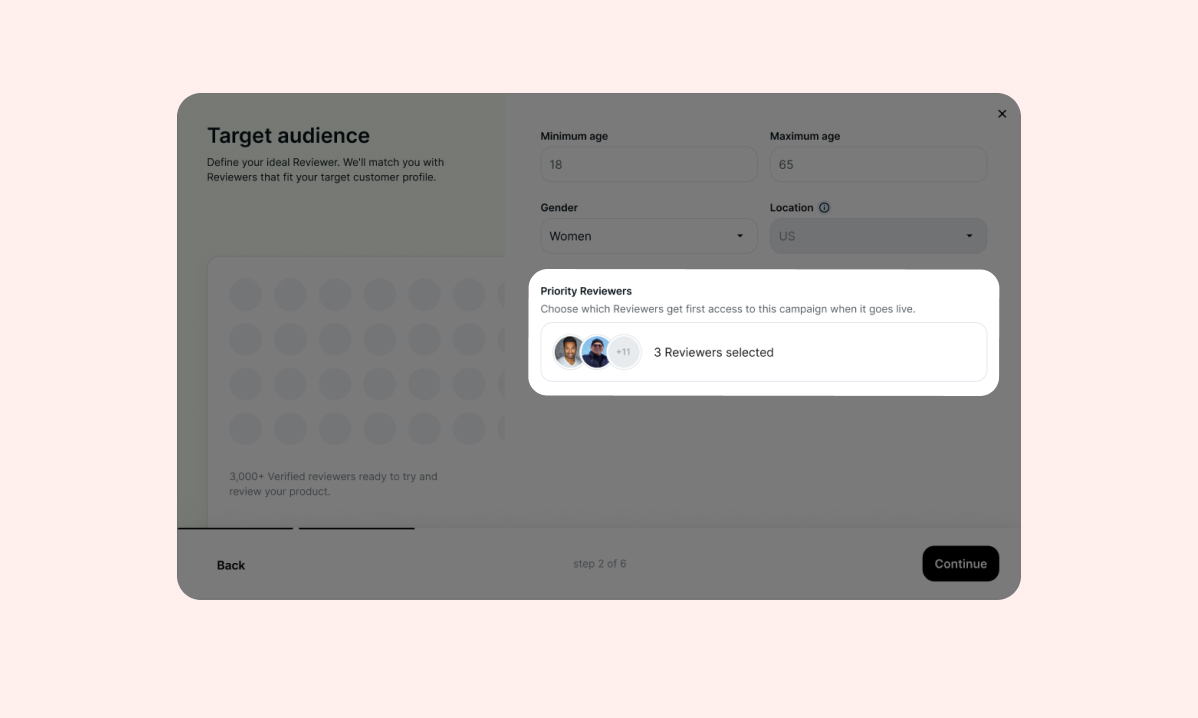
- Your selection appears on the target audience step, and you can reopen the page to edit it at any point before submitting your campaign.
- Continue creating your campaign as usual. Your priority Reviewers appear on the final Review and confirm step before you submit.
Note: If you change your campaign's age range or gender after selecting priority Reviewers, Reviewers who no longer match your audience are excluded from your campaign. You'll see a warning when this happens - adjust your audience settings to bring them back.
Tip: Selecting priority Reviewers is optional. You can submit your campaign without selecting anyone, and it will be shared with all eligible Reviewers from our community as usual.
What happens after your campaign goes live
Once your campaign is approved and goes live:
- Your priority Reviewers get first access. Each selected Reviewer receives a personalized email letting them know your brand chose them, with a link to claim your offer if they choose to participate. They'll still need to answer your screening questions before being accepted to your campaign.
- One day later, your campaign is shared with the rest of the community. All eligible Reviewers receive it in the daily digest email, and spots are claimed on a first-come, first-served basis.
Priority Reviewers can claim your offer even if they're in the middle of reviewing a product for another brand, so being selected never blocks them from joining your campaign.
Note: Selecting a Reviewer gives them first access to your campaign - it doesn't guarantee they'll claim your offer. Selecting several priority Reviewers increases the chances that some of them will join.
Good to know
- Priority selections are per campaign. Your next campaign starts with a clean selection, and you can select the same Reviewers again
- Selections are final once you submit. Like all campaign settings, priority Reviewers can't be changed after your campaign is submitted
- The grid only shows active community members. Reviewers who recently participated in campaigns and match your target audience appear in the selection page
- If no Reviewers match your audience settings, the selection page won't be available and you'll see a message letting you know. Widen your campaign's age range or gender settings to unlock more Reviewers
- Priority Reviewers are never excluded from your campaign. If you tick Exclude Reviewers who joined your previous campaigns in the target audience step, the priority Reviewers you select will still get access to your campaign, even if they joined one of your previous campaigns. You'll see a reminder of this on the target audience step when the exclusion is on
FAQs
Q: Are priority Reviewers guaranteed to join my campaign?
A: No. Selection gives them first access to your offer, and they choose whether to claim it. Any spots they don't claim are offered one day later to all eligible Reviewers in the community who meet your criteria.
Q: Why don't I see any Reviewers in the selection page?
A: The page only shows active Reviewers who match your campaign's age range and gender settings. If your audience settings are narrow, widen them to see more Reviewers.
Q: Can I change my priority Reviewers after submitting my campaign?
A: No. Campaigns can't be edited after creation, and that includes your priority Reviewers. You can select a different set of Reviewers on your next campaign.
Q: Do priority Reviewers still answer my screening questions?
A: Yes, priority Reviewers will still need to give qualifying answers on any screening questions you set up to make sure they're a good match for your campaign.
Q: I chose to exclude Reviewers who joined my previous campaigns. Does that affect my priority Reviewers?
A: No. Priority Reviewers you select will join your campaign even if they joined one of your previous campaigns. The exclusion only applies to the rest of the community, so any spots your priority Reviewers don't claim are offered to eligible Reviewers who haven't joined any of your campaigns.
Need help? If you have more questions, contact our support team at brands@reviewers.com - we're happy to help!