
Activate the Reviewers.com core script to start creating campaigns.
When you first install the Reviewers.com app, you'll be prompted to install the core script on your theme as part of your onboarding. The core script connects Reviewers.com to your store - it's what allows the app to run your campaigns and collect reviews from your customers.
If you change your live theme, make sure to activate the core script again to continue displaying your reviews.
Click here to automatically embed and activate the core script on your theme.
To manually activate the Reviewers.com core script on your theme:
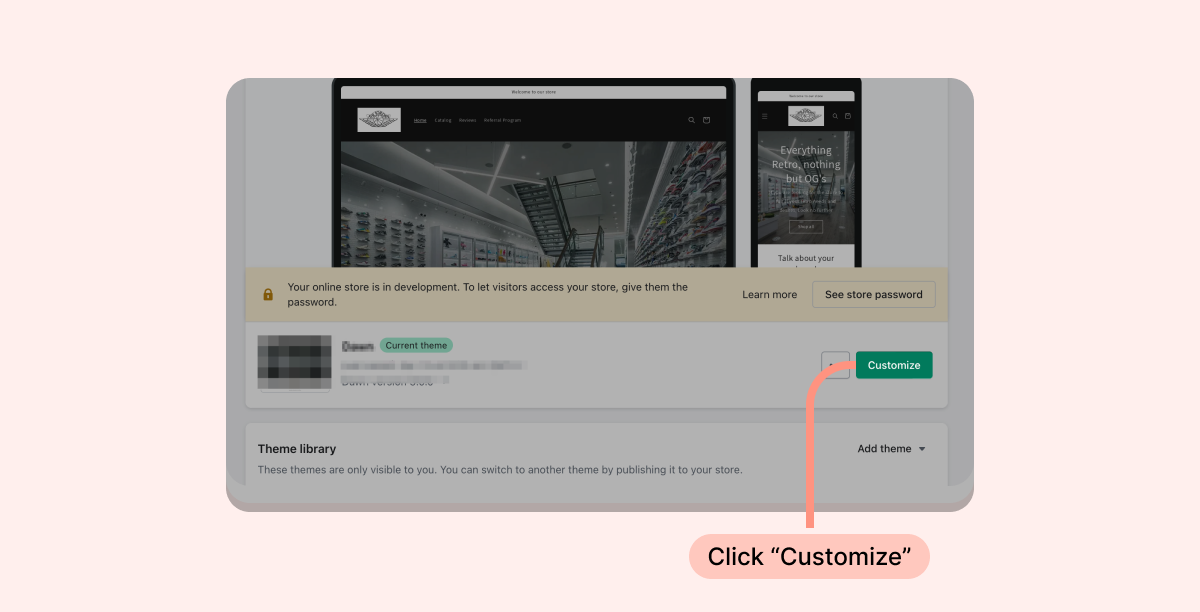
- Inside your Shopify Themes menu, click "Customize" to open the Theme Editor:
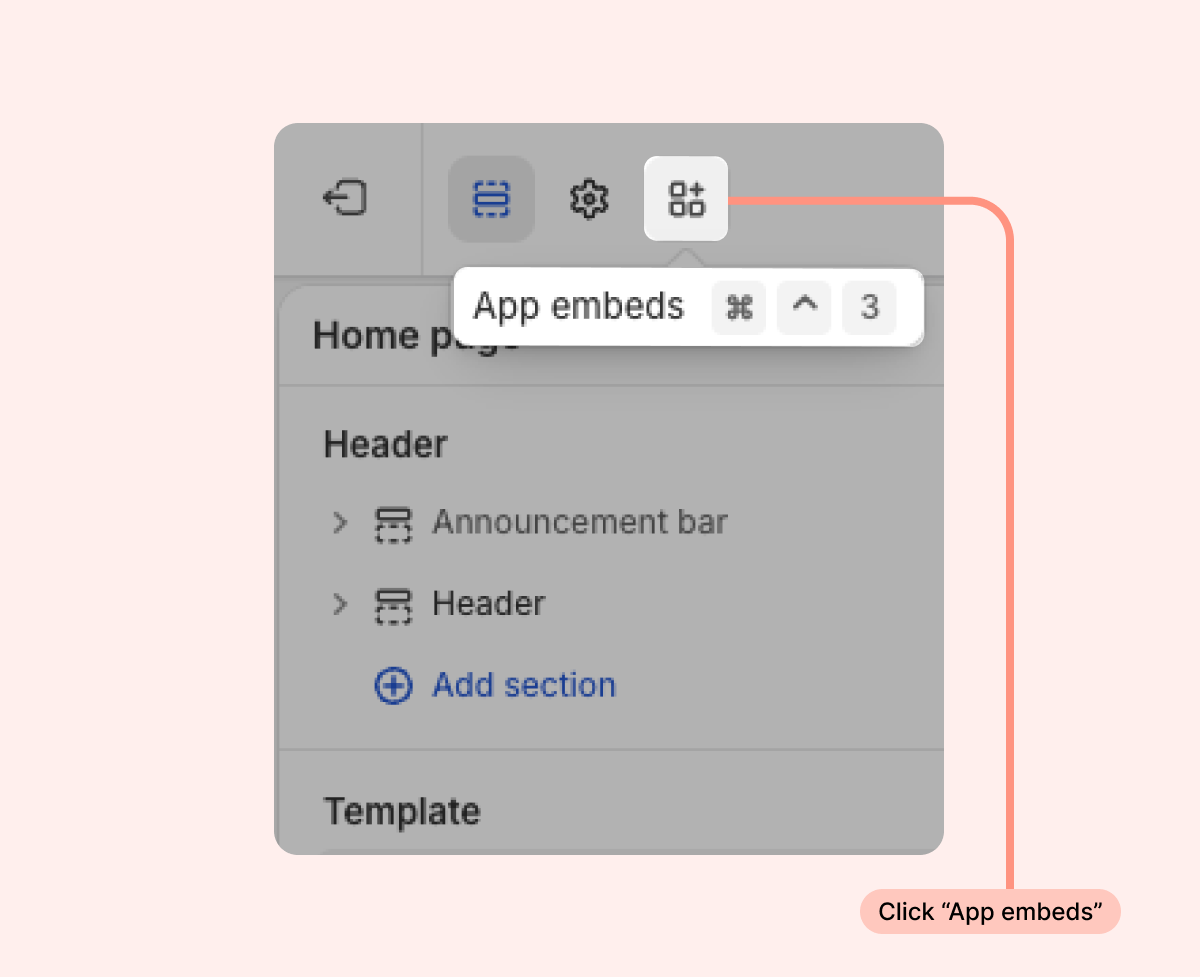
- Click and open the “App embeds” side menu:
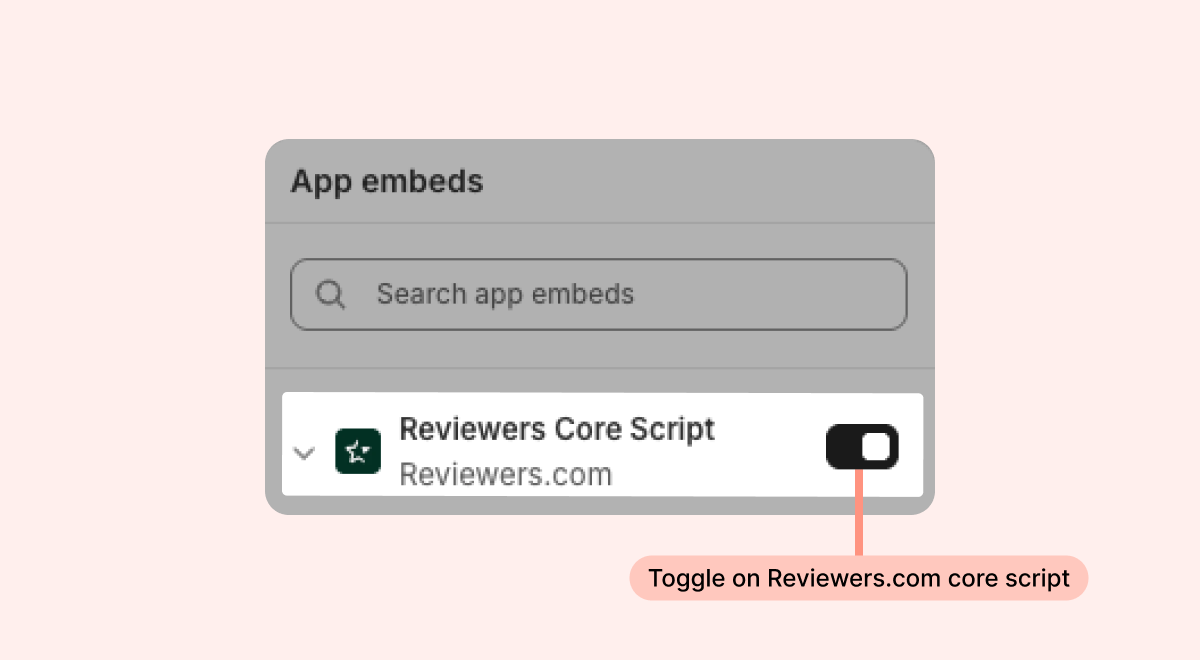
- Toggle on the Reviewers.com Core Script:
Once activated, you should be able to go ahead and create your first campaign.
Need help? If you have more questions, contact our support team at brands@reviewers.com - we're happy to help!